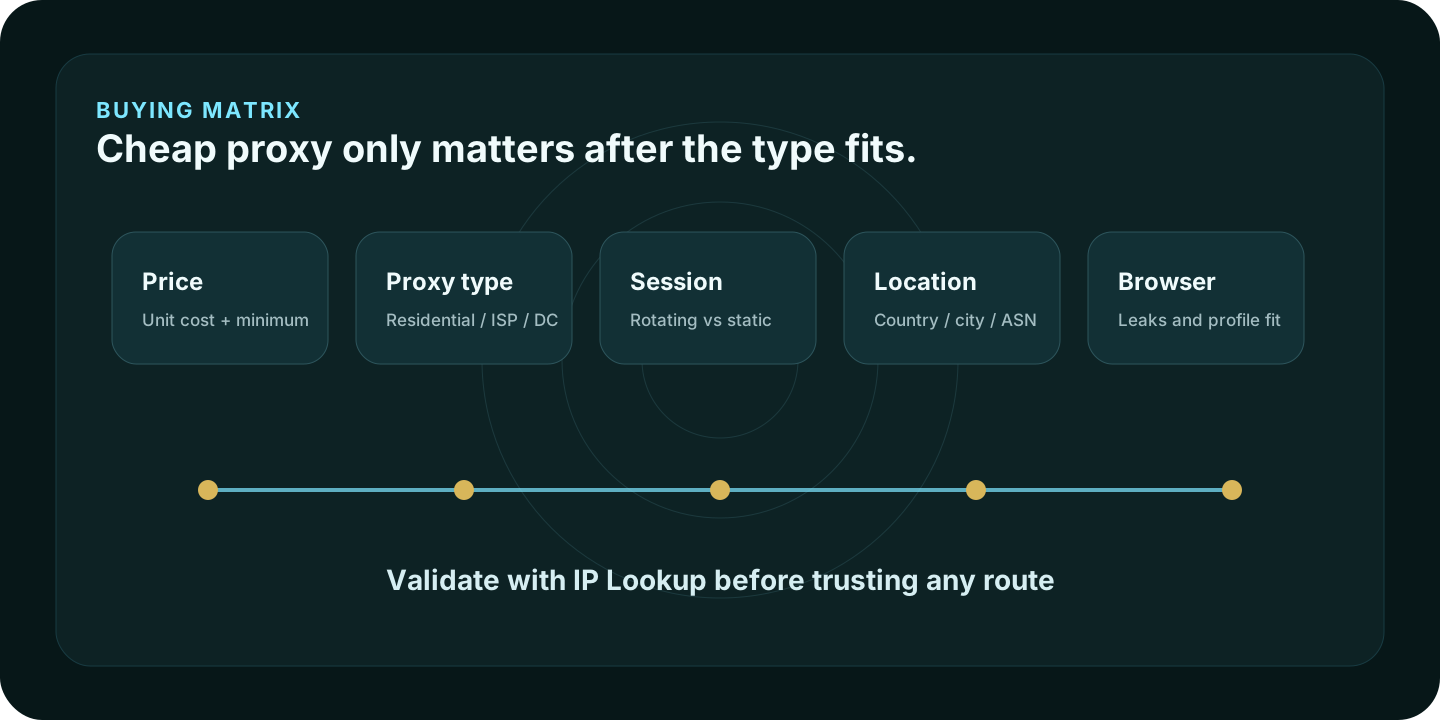
The best affordable proxy provider is not always the provider with the lowest headline price. A proxy is only cheap when the proxy type, billing model, session behavior, location targeting, and target site match the job.
Use this page as a buying shortlist, not a promise that any proxy will work everywhere. A $1/GB residential plan can be a smart buy for light public-data work. It can also be the wrong choice for a long browser session that needs one stable IP. A very cheap datacenter proxy can be perfect for low-risk automation and a bad fit for a site that filters hosting-provider networks.
Quick verdict
If you want one balanced place to start, look at IPRoyal. It covers residential, ISP, datacenter, and mobile proxies and has budget-facing entry points. If you need more granular catalog control, compare Proxy-Seller. If you want a free or very low-cost test path, Webshare is easy to trial. If the lowest entry price is the main filter, Proxy-Cheap is worth checking.
For cheap residential bandwidth, also compare DataImpulse and PacketStream. For broader budget catalogs and stronger feature depth, look at MarsProxies, ProxyScrape, Decodo, and SOAX.
Comparison table
| Provider | Best fit | Public pricing signal to verify | Main tradeoff |
|---|---|---|---|
| IPRoyal | All-around budget proxy stack | Residential, ISP, datacenter, mobile “from” prices | Not a full managed scraping suite |
| Proxy-Seller | Granular proxy catalog control | Residential, ISP, IPv4, IPv6, mobile plan pages | Easy to buy the wrong type if the use case is unclear |
| Webshare | Free test path and dashboard | 10 free proxies; low-cost proxy server plans | Budget access, not a full data-extraction platform |
| Proxy-Cheap | Low entry-price experiments | Datacenter, static residential, rotating residential, mobile entry prices | Cheapest category may not fit stricter targets |
| DataImpulse | Simple residential bandwidth | Residential traffic positioned around low per-GB pricing | Rotating traffic is not the same as stable sessions |
| PacketStream | Simple metered residential bandwidth | Residential proxies at $1/GB on its pricing page | Fewer advanced controls than larger platforms |
| MarsProxies | Broad catalog with low static options | Residential, datacenter, ISP, mobile starting prices | Check final product terms before scaling |
| ProxyScrape | Shared datacenter utility proxies | Shared datacenter and premium proxy plans | Datacenter IPs are easier for strict sites to classify |
| Decodo | Higher-feature residential and datacenter proxy work | Residential from $2/GB and datacenter from $0.02/IP on public pricing pages | More feature-rich than the cheapest entry providers |
| SOAX | Managed proxy traffic with clear traffic tiers | Public traffic tiers and plan pricing | More structured plan model than simple pay-as-you-go providers |
How we evaluated affordable proxy providers
This shortlist prioritizes practical affordability, not vanity metrics. Aerod focused on providers with public proxy product pages, clear low-entry buying paths, and enough product separation to compare residential, ISP, datacenter, mobile, or fixed-proxy use cases.
Methodology
Aerod evaluation method
- Start with proxy type, not provider branding.
- Compare public product categories, minimum buying path, session model, authentication, and location controls.
- Treat provider-stated pricing as a live checkout signal, not a permanent score.
- Favor use-case fit over broad claims like “best proxy” or “most anonymous.”
- Require users to validate the route with IP, DNS, browser, and session checks after purchase.
The ranking: 10 affordable proxy providers
1. IPRoyal: best affordable all-around proxy provider
IPRoyal is the cleanest first stop for many small teams because it covers residential, ISP, datacenter, and mobile proxies without forcing an enterprise buying process. Its public pricing page lists residential proxies from $1.75/GB, ISP proxies from $1.80/proxy, datacenter proxies from $1.39/proxy, and mobile proxies from $117/month.
Best fit: users who want one budget-facing provider for several proxy classes.
Watch-out: a proxy route does not fix browser fingerprinting, WebRTC, cookies, account state, or timezone mismatches. After setup, open the IP Lookup and What’s My IP tool from the same browser profile.
2. Proxy-Seller: best for granular control
Proxy-Seller is useful when you already know the type of proxy you need. Its catalog covers residential, ISP, datacenter IPv4, IPv6, and mobile proxy categories. The residential product page advertises plans from $0.7/GB, HTTPS and SOCKS5 support, and authentication options such as username/password and IP allowlisting.
Best fit: buyers who need country, ISP, protocol, and product-type choices.
Watch-out: the catalog is broad enough that beginners should choose the proxy type first. Start with the proxy type selector before buying.
3. Webshare: best free testing and dashboard experience
Webshare is one of the easiest budget proxy providers to test. Its pricing page lists a free 10-proxy option, proxy-server plans starting with 100 proxies at $2.99/month on monthly billing, static residential plans, and rotating residential plans.
Best fit: developers, small teams, and users who want to validate a proxy workflow before committing.
Watch-out: a free or low-cost proxy server plan is useful for testing, but it may not solve residential reputation, account stability, or strict anti-abuse checks.
4. Proxy-Cheap: best low-entry-price catalog
Proxy-Cheap belongs in an affordable list because the product positioning is built around low entry pricing across several proxy types. It can make sense for low-risk datacenter experiments, IPv6 tests, simple routing, or lightweight automation where you do not need a premium residential setup.
Best fit: users testing a low-cost idea before committing to a larger provider.
Watch-out: low entry price should not override target fit. If the target cares about IP reputation, compare ISP or residential options before defaulting to the cheapest datacenter route.
5. DataImpulse: best simple low-cost residential bandwidth option
DataImpulse is a clean comparison point for users who want residential proxy bandwidth without a complicated subscription-first decision. Its public positioning centers on low-cost residential traffic, country targeting, rotating or sticky sessions, and pay-as-you-go flexibility.
Best fit: public-data collection, price checks, SERP research, and light geo-targeted browsing where rotating residential traffic is acceptable.
Watch-out: rotating residential traffic is not the same as a static login session. Use ISP/static residential proxies when session continuity matters.
6. PacketStream: best simple residential bandwidth pricing
PacketStream keeps the buying model simple. Its pricing page states residential proxies at $1/GB with no long-term commitments, plus separate bandwidth-sharing and reseller options.
Best fit: users who want straightforward residential bandwidth and do not want to compare many plan tiers.
Watch-out: simple pricing can mean fewer advanced targeting, governance, or workflow controls than larger platforms.
7. MarsProxies: best broad budget catalog
MarsProxies has a broad proxy catalog: residential, ISP, datacenter, and mobile. Its site lists low starting prices for several categories, including datacenter and ISP proxies, which makes it useful when you are comparing static proxy routes and budget residential traffic side by side.
Best fit: account-adjacent testing, ecommerce QA, datacenter checks, and users who want several proxy types under one account.
Watch-out: read product terms carefully before using proxies for account workflows. Platform rules still apply.
8. ProxyScrape: best affordable shared datacenter option
ProxyScrape fits the utility-proxy category. It is not the first choice when residential reputation matters. It is a better fit for cheap datacenter access, lower-risk scraping tests, and workflows where datacenter IPs are acceptable.
Best fit: shared datacenter proxy access and simple automation tests.
Watch-out: strict targets are often more likely to classify datacenter networks than residential or ISP networks.
9. Decodo: best higher-feature budget step-up
Decodo, formerly Smartproxy, is not always the lowest checkout number, but it belongs in this list because it can be a better value when the job needs stronger targeting, multiple proxy categories, and clearer integration options. Its public pricing page lists residential proxies from $2/GB, static residential from $0.27/IP, mobile proxies from $2.25/GB, and datacenter proxies from $0.02/IP.
Best fit: users who need more targeting and product depth than a simple low-cost residential bandwidth seller.
Watch-out: Decodo can be overkill for a one-off test. If you only need a small, simple residential bandwidth purchase, compare DataImpulse or PacketStream first.
10. SOAX: best structured proxy traffic plan
SOAX is a better fit when you want a managed proxy platform with clear traffic tiers, targeting controls, and a more structured buying model. It is not the cheapest test purchase on this page, but it can make sense when cheap traffic is less important than control, support, and predictable plan design.
Best fit: users who want residential-style proxy traffic with stronger targeting and platform structure.
Watch-out: review the exact traffic tier, renewal term, and location requirements before buying. A structured proxy platform can cost more than a simple pay-as-you-go provider.
Which proxy type should you buy?
Use proxy type before provider brand:
- Use a VPN when you want a device-wide encrypted tunnel for general privacy.
- Use a datacenter proxy when cost and speed matter more than consumer-IP reputation.
- Use a residential proxy when the target workflow needs a consumer ISP-style IP.
- Use an ISP/static residential proxy when a session needs one stable IP.
- Use a mobile proxy only when the workflow specifically depends on a mobile carrier IP.
Affordable proxy buying checklist
- Define the job before comparing provider prices.
- Choose the proxy type before choosing the brand.
- Check the minimum order, traffic expiration, refund window, and authentication method.
- Verify whether the plan supports HTTP, HTTPS, SOCKS5, or a provider-specific endpoint.
- Test the route with IP Lookup from the same browser profile that will use the proxy.
- Check DNS and WebRTC behavior when privacy or route consistency matters.
- Use proxies only for legal, policy-compliant workflows.
FAQ
What is the cheapest proxy provider?
There is no single cheapest provider for every job. Webshare, DataImpulse, PacketStream, Proxy-Cheap, MarsProxies, Decodo, and SOAX all have low-cost or value-focused entry points, but the cheapest plan can be the wrong purchase if the target needs a different proxy type.
Are affordable proxies safe?
They can be safe for legitimate workflows when the provider is reputable and the setup is tested. They are not automatically private. The browser can still reveal timezone, storage, WebRTC, fingerprinting, and account-state signals.
Should I buy residential or datacenter proxies?
Use datacenter proxies when cost and speed matter and the target accepts hosting-provider IPs. Use residential proxies when consumer-style IP reputation is part of the workflow.
Should I test a proxy after buying it?
Yes. Open the IP Lookup and What’s My IP tool from the exact browser profile that will use the proxy. Then check the visible IP, location, ASN, and whether browser settings contradict the selected route.