The best VPN service depends on the job. A traveler on hotel Wi-Fi, a privacy-first user, a streaming household, and a technical user who wants custom routing should not all choose the same provider.
This Aerod shortlist is organized by use case and setup risk, not by hype. A VPN can change the public IP address websites see and encrypt traffic between your device and the VPN server. It does not erase browser fingerprinting, cookies, account history, WebRTC behavior, or every kind of tracking.
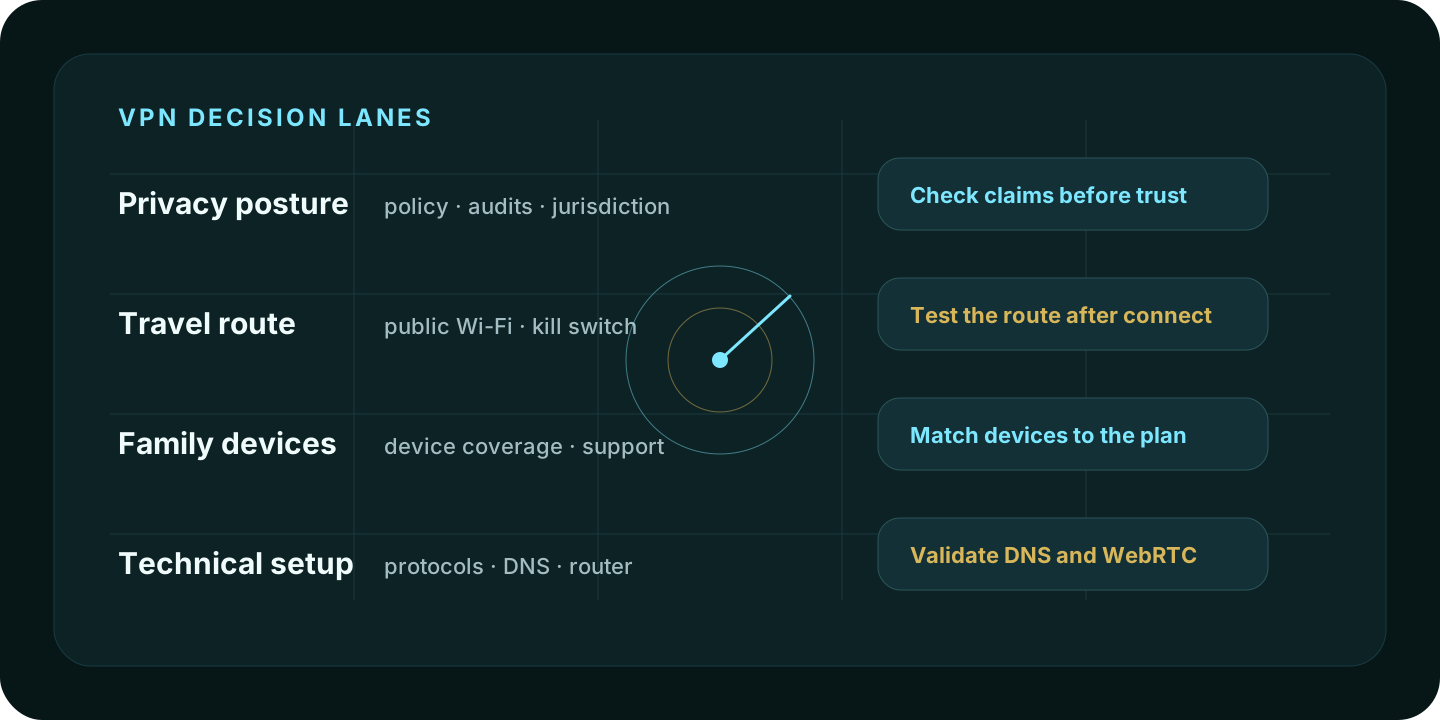
Quick picks
| Use case | Start with | Why it fits |
|---|---|---|
| Mainstream privacy and features | NordVPN | Strong fit when you want a broad paid VPN feature set and repeated public no-logs assurance material. |
| Transparency-first privacy | Proton VPN | Strong fit when public audits, open-source app positioning, and Swiss privacy posture matter. |
| Family or many-device household | Surfshark | Worth comparing when the household needs a simple VPN plan across many devices. |
| Free-plan or configurable privacy path | Windscribe | Useful to compare when the user wants a free entry path or more hands-on configuration. |
| Many-device consumer VPN | IPVanish | Good comparison point for homes with many devices and users who want a mainstream VPN app. |
| Free tier plus advanced controls | hide.me | Worth checking when free access, protocol choices, and privacy controls are part of the decision. |
| Simple consumer VPN | PureVPN | Best treated as a straightforward VPN option with provider-published no-log assessment material. |
| Technical VPN users | VPN.ac | Useful for readers who care about protocol options, DNS handling, and a more technical setup style. |
| Simple pricing and Smart DNS | CactusVPN | Useful when the user wants VPN and Smart DNS in one simple consumer package. |
| Low-cost VPN plan comparison | Trust.Zone | Worth comparing when the main filter is a lightweight VPN plan and simple route masking. |
How to choose a VPN
Start with the reason you want one:
- Public Wi-Fi and travel: choose a VPN app that is easy to enable, has a kill switch you understand, and works reliably on the device you travel with.
- Privacy posture: look for provider documentation, public audit material, jurisdiction, payment options, and how the provider describes logs.
- Streaming or location access: verify the service you care about before buying. Streaming support changes frequently and is not guaranteed by a VPN label.
- Family use: device limits, app simplicity, support, and billing clarity matter more than obscure technical features.
- Technical workflows: protocol support, DNS behavior, split tunneling, router support, and manual configuration options matter more than branding.
VPN buying checklist
- Check whether the VPN supports every device you need to use.
- Read the provider’s no-logs, privacy, and audit material directly.
- Confirm refund terms and renewal pricing before checkout.
- Test the kill switch before relying on it.
- Run IP Lookup after connecting to confirm the visible route.
- Run WebRTC Leak Test from the browser profile you will actually use.
- Keep browser account state, extensions, cookies, timezone, and language in the threat model.
The VPN shortlist
1. NordVPN
NordVPN is the strongest starting point for users who want a mainstream paid VPN with broad app support, privacy features, specialty routing options, and repeated public no-logs assurance material.
Best fit: users who want one mainstream VPN for travel, daily browsing, public Wi-Fi, and general privacy.
Watch-out: do not confuse provider assurance with browser anonymity. After connecting, open IP Lookup and WebRTC Leak Test from the same browser profile.
2. Proton VPN
Proton VPN is the best fit when transparency is part of the decision. Its public positioning emphasizes no-logs audits, open-source app posture, Swiss jurisdiction, and a privacy-first product ecosystem.
Best fit: privacy-focused users who want clear documentation and public security posture.
Watch-out: a privacy-forward VPN still cannot remove cookies, logged-in account state, extension behavior, or fingerprintable browser settings.
3. Surfshark
Surfshark is a practical comparison point for households and users who care about simple VPN coverage across many devices.
Best fit: families and multi-device users who want a more consumer-friendly VPN package.
Watch-out: family convenience should not replace security review. Check account sharing rules, device behavior, and browser exposure separately.
4. Windscribe
Windscribe is worth comparing when a free or lower-commitment VPN path matters, or when the user wants more configuration control before paying for a long subscription.
Best fit: users who want to test a VPN workflow before committing.
Watch-out: free or limited plans may have data, location, or feature limits. Verify the exact plan before relying on it.
5. IPVanish
IPVanish is a useful mainstream VPN comparison point for homes and users with many devices.
Best fit: many-device users who want a consumer VPN app rather than a highly technical setup.
Watch-out: jurisdiction, audit posture, and history matter for privacy-sensitive users. Read the current policy and trust material before buying.
6. hide.me
hide.me is a good comparison point for users who want a free tier, protocol options, and a VPN that exposes more controls than a one-button-only product.
Best fit: users who want to compare free access, paid plan terms, and configuration options.
Watch-out: advanced controls can create confusion. Test the route and browser behavior after changing protocols or settings.
7. PureVPN
PureVPN is best treated as a simple consumer VPN option with provider-published no-log assessment material.
Best fit: users who want a straightforward VPN package and are willing to verify plan terms at checkout.
Watch-out: do not rely on brand labels alone. Check current assessment material, refund terms, device support, and route behavior.
8. VPN.ac
VPN.ac is a better fit for technical users than for people who want a minimal consumer VPN experience.
Best fit: users who care about protocols, DNS handling, and configuration details.
Watch-out: technical flexibility is useful only if you know what you are configuring. For casual users, a simpler app may be easier to run safely.
9. CactusVPN
CactusVPN is worth comparing when simple VPN pricing, Smart DNS, and a straightforward consumer package matter.
Best fit: users who want a smaller VPN option with a simple plan model.
Watch-out: verify current server countries, device support, refund terms, and whether Smart DNS or VPN routing is the right tool for the job.
10. Trust.Zone
Trust.Zone is a lightweight comparison option for users who are price-sensitive and want a basic VPN route.
Best fit: low-cost VPN comparisons where simple route masking is the main need.
Watch-out: low price should not override policy review. Read the privacy policy, connection limits, location list, and support expectations.
What a VPN does not solve
A VPN can change the public IP address and network path a website sees. It does not automatically fix:
- WebRTC exposure
- DNS configuration mistakes
- browser fingerprinting
- logged-in account tracking
- persistent cookies and local storage
- extension behavior
- timezone and language mismatch
- malware or phishing risk
Use the VPN as one layer. Then test the browser session.
VPN vs Tor
If you need normal browsing, streaming, travel protection, or household privacy, start with a VPN. If the priority is stronger anonymity and censorship resistance, read VPN vs Tor before choosing. Tor and VPNs solve different problems and can make each other worse when combined carelessly.
FAQ
What is the best VPN overall?
There is no single best VPN for every user. NordVPN and Proton VPN are strong starting points for many privacy-focused readers, but the right choice depends on devices, budget, threat model, travel needs, streaming requirements, and how much technical control you want.
Should I use a free VPN?
A reputable free tier can be useful for testing. A random free VPN or free proxy should be treated carefully because the operator still has to pay for infrastructure. Read the privacy policy and avoid sending sensitive traffic through tools you cannot evaluate.
Can a VPN stop browser fingerprinting?
No. A VPN changes the route. Browser fingerprinting comes from browser and device signals. Use IP Lookup and WebRTC Leak Test after connecting, then review browser settings separately.
Should I test my VPN after connecting?
Yes. Open IP Lookup to check the visible IP, ASN, and approximate location. Then use WebRTC Leak Test to inspect browser connection candidates.
Methodology
How Aerod evaluates VPN lists
- Group VPNs by practical use case instead of pretending one provider is best for every reader.
- Treat no-logs, audits, pricing, server counts, and streaming claims as provider-stated unless independently verified.
- Avoid permanent rankings based on promotional prices that can change at checkout.
- Keep commercial links disclosed and separate from the evaluation criteria.
- Pair VPN selection with IP and browser exposure checks.